
GPT Image 2.6:新機能、Flare と Sunburst の比較、今後の対応
OpenAI の Images 2.6 は、より高速な生成、GIF、より精密な編集を実現します。新機能を確認しながら、2.6 の対応まで GPT Image 2.5 で作成できます。

GPT Image 2.6 は Raphael AI に近日対応予定です
このサイトではまだ利用できません。下の生成ツールは現在 GPT Image 2.5 で動作しているため、ここで作成した画像は GPT Image 2.6 の出力ではありません。

GPT Image 2.6 の作例
Images 2.6 で作成したループアニメーションとキャラクター編集の例です。元ファイルは GIF で、ページを速く表示するために圧縮形式に変換しています。
ChatGPT の GPT Image 2.6 で作成したもので、このページの生成ツールの出力ではありません。
ヒント:ChatGPT では、プロンプトの冒頭に「GIF を作成して」と書いてください。書かないと静止画になります。

プロンプトを見る
Create a GIF. Create a single animation sprite sheet for a seamless looping GIF. A cheerful round orange fox mascot wearing a small teal scarf stands facing the viewer. The sequence: looks up, notices the viewer, gives a big wave, hops once with joy, lands, then settles back into its starting pose. Soft 3D toy-like style, clean studio lighting, plain warm cream background. Exactly 6 sequential frames in a precise 3-column by 2-row grid, read left to right, then top to bottom. Every panel has identical dimensions. Fixed camera, same character, same proportions, same background. Clear incremental motion; the sixth frame transitions smoothly back to the first. No text, logos, panel labels, borders, or gutters.

プロンプトを見る
Create a GIF. Create a single animation sprite sheet for a seamless looping GIF. A premium unbranded matte-black insulated bottle stands on a wet dark stone surface. The sequence: a water droplet falls from above, hits the surface beside the bottle, ripples spread outward, small droplets rise and catch the light, then the surface calms again. The bottle stays perfectly still and identical in every frame. Luxury product photography, dramatic rim lighting, dark teal background. Exactly 6 sequential frames in a precise 3-column by 2-row grid, read left to right, then top to bottom. Every panel has identical dimensions. Fixed camera. Clear incremental motion; the sixth frame transitions smoothly back to the first. No text, logos, panel labels, borders, or gutters.

プロンプトを見る
Create a GIF. Create a single animation sprite sheet for a seamless looping GIF. A tiny sleepy penguin in an oversized knitted sweater sits at a small table. The sequence: dozes off with heavy eyelids, a steaming cup of coffee slides into view, one eye opens, it takes a sip, its eyes go wide with sparkles, then it slowly starts dozing again. Expressive cute 3D animation style, soft morning light, cozy pastel kitchen background. Exactly 6 sequential frames in a precise 3-column by 2-row grid, read left to right, then top to bottom. Every panel has identical dimensions. Fixed camera, same character, table, and background. Clear incremental facial motion; the sixth frame transitions smoothly back to the first. No text, logos, speech bubbles, panel labels, borders, or gutters.
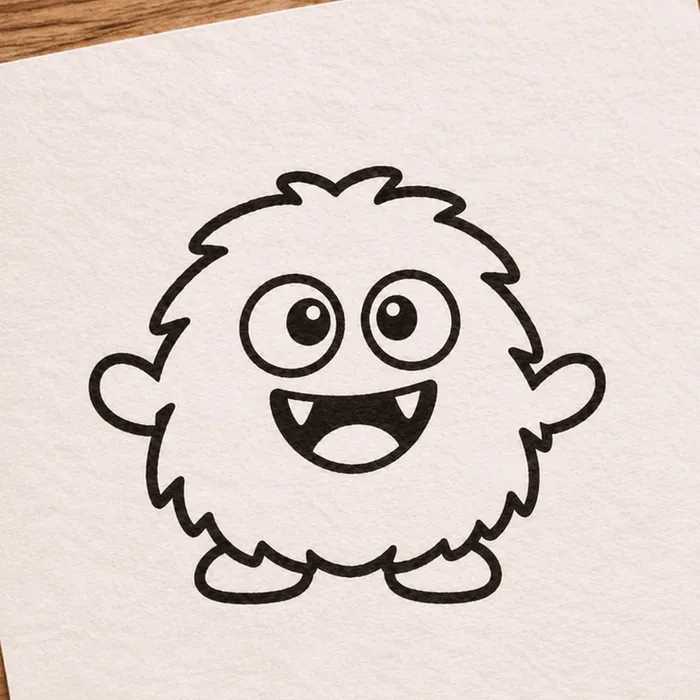
入力したスケッチ(これも AI で生成)

アニメーション結果
プロンプトを見る
Create a GIF. Using the attached hand-drawn sketch as the character design, create a single animation sprite sheet for a seamless looping GIF. Keep the character's shape, proportions, and hand-drawn pen line quality, and keep the lined paper background. The sequence: the character blinks, looks left, looks right, does a small happy jump, lands, then returns to its starting pose. Exactly 6 sequential frames in a precise 3-column by 2-row grid, read left to right, then top to bottom. Every panel has identical dimensions. Fixed camera, same character, same background. Clear incremental motion; the sixth frame transitions smoothly back to the first. No added text, panel labels, borders, or gutters.

プロンプトを見る
Create a GIF. Create a single animation sprite sheet for a seamless looping walk cycle. A small pixel-art knight with a blue cape and a round shield walks to the right, seen from the side. Crisp 32-bit pixel art with a limited color palette and a plain light gray background. Exactly 8 sequential frames in a precise 4-column by 2-row grid, read left to right, then top to bottom. Every panel has identical dimensions. The character stays centered in each panel at the same scale, with feet on the same baseline. Clear leg, arm, and cape motion; the eighth frame transitions smoothly back to the first. No text, panel labels, borders, or gutters.
編集を重ねても同じキャラクター
1 つの会話で 3 回編集した例です。顔、髪、眼鏡、ジャケットは同じ人物と分かりますが、細部は変わることがあります。3 枚目では、傷とキツネのワッペンの位置が異なります。
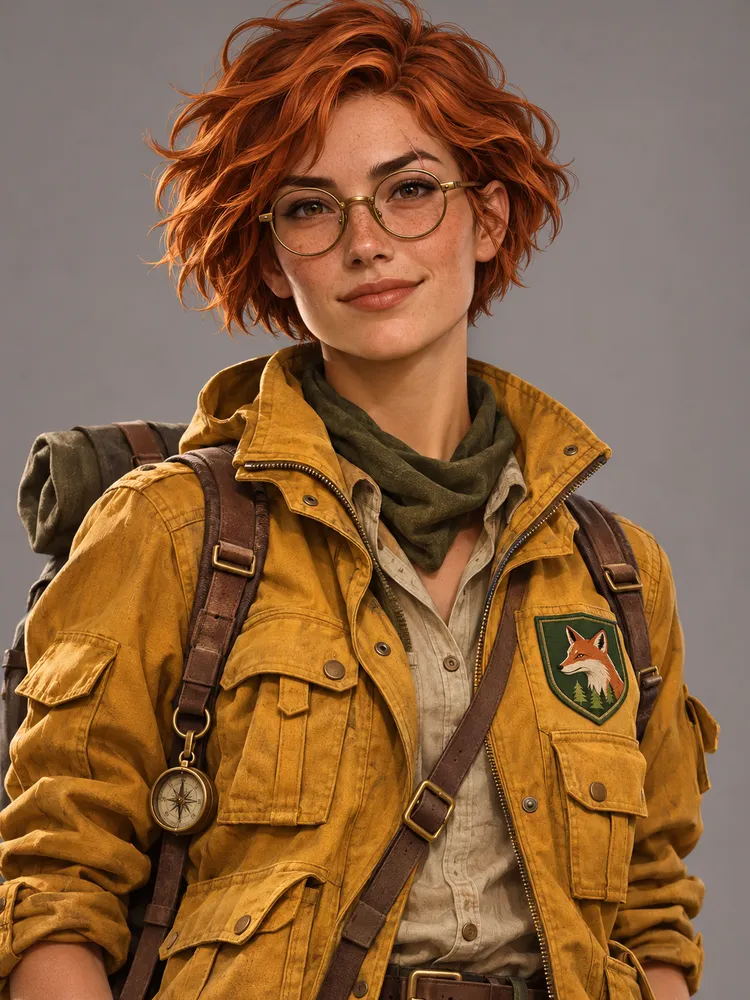
プロンプトを見る
A portrait of a young woman explorer with short copper hair, round brass glasses, a small scar on her left eyebrow, and a mustard-yellow utility jacket with a green fox patch on the chest. Semi-realistic digital illustration, neutral gray background, waist-up view.
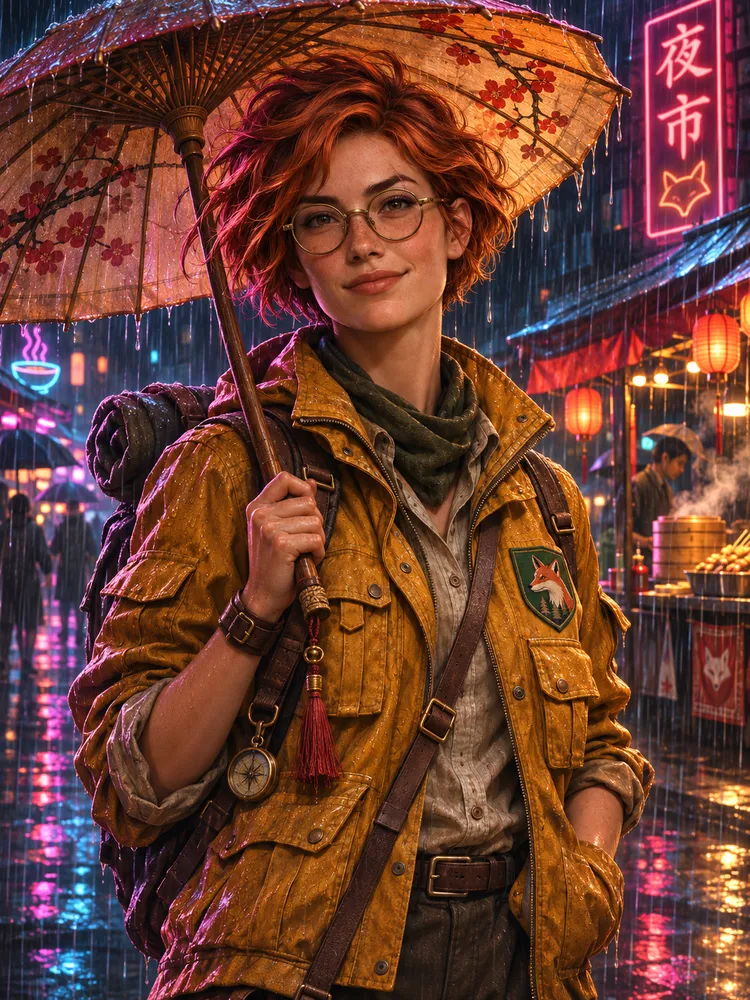
プロンプトを見る
Keep the same character exactly: same face, hair, glasses, scar, jacket, and fox patch. Place her in a rainy neon-lit night market, holding a paper umbrella. Change only the setting, pose, and lighting.
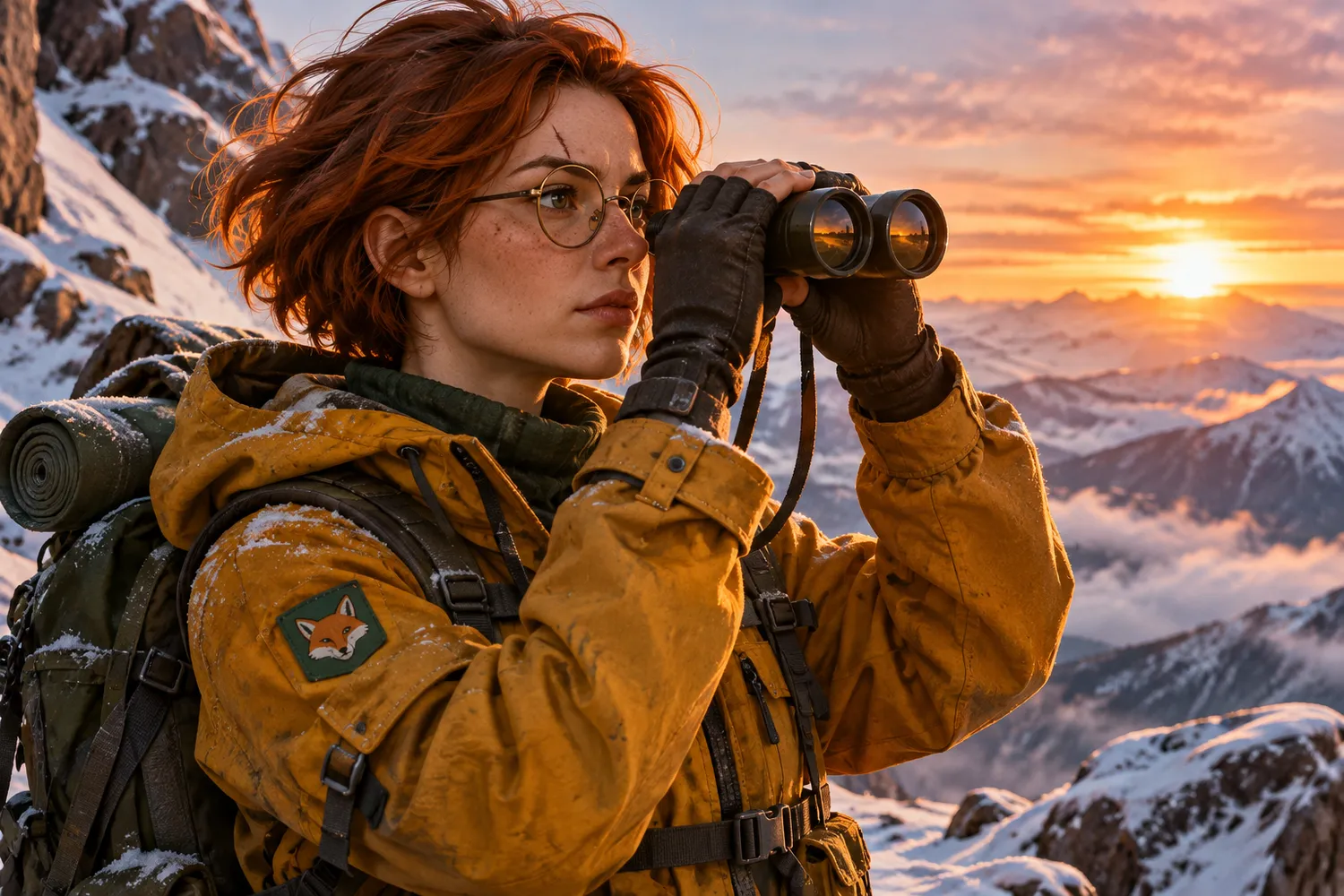
プロンプトを見る
Keep the same character exactly: same face, hair, glasses, scar, jacket, and fox patch. Place her on a snowy mountain ridge at sunrise, looking through binoculars. Change only the setting, pose, and lighting.
GPT Image 2.6 の新機能
OpenAI は 2026 年 11 月 4 日に、ChatGPT、Codex、API 向けに Images 2.6 を発表しました。主な変更点は次のとおりです。
生成速度が 50% 向上
OpenAI によると、Images 2.6 は従来より 50% 速く画像を生成するため、試行のたびの待ち時間が短くなります。
GIF の作成
ブランドのマスコットやキャラクターをアニメーションにしたり、商品写真をループ動画にしたりできます。
一貫性のある編集
キャラクター、商品、ブランドの細部を保ったまま、画像を調整できます。
API での画像マークアップ
ChatGPT で提供済みの画像マークアップにより、変更する箇所を正確に指定できます。
SVG 書き出し
SVG 書き出しにより、デザインをウェブサイト、アプリ、印刷物にそのまま使えます。
複雑さの制御
API の新しいパラメーターで、モデルが行う計画の量を調整できます。低い設定は素早い編集に適しています。
GPT Image 2.6 Flare と Sunburst の比較
OpenAI は API で 2 つの GPT Image 2.6 モデルを提供しています。Flare は速度、Sunburst は細部と一貫性を重視しています。
GPT Image 2.6 Flare
素早い試行とプロ品質のレイアウトに向いた、高速なモデルです。
- 品質を低に設定すると、最短約 6 秒で画像を生成できます
- ポスター、商品画像などのプロ向けビジュアルでレイアウト品質が向上しています
GPT Image 2.6 Sunburst
細部と精度が求められる作業に向いた、高品質なモデルです。
- 細部にこだわる作業向けの高品質な画像生成
- 品質を中または高に設定すると、編集間の一貫性がさらに高まります
これらの内容は OpenAI API のモデルに関するものです。Raphael AI での設定とクレジット価格は、2.6 の提供開始時に公開します。
試せるプロンプト例
Images 2.6 が重視する動き、レイアウト、一貫した編集を試すための 3 つの例です。
ループするマスコットのスプライトシート
Create a single animation sprite sheet for a seamless loop. A friendly round robot mascot waves, tilts its head, smiles, and returns to its starting pose. Exactly 6 sequential frames in a precise 3-column by 2-row grid, read left to right and top to bottom. Every panel has identical dimensions. Fixed camera, same character, plain pastel background. Clear incremental motion; the sixth frame transitions smoothly back to the first. No captions, numbers, logos, borders, or gutters.
レイアウト重視のポスター
Design a vertical travel poster for a coastal city at golden hour. Use a clear hierarchy: the large headline "Sail Away" at the top, a sailboat as the central image, and the short line "Summer departures" at the bottom. Generous margins, balanced composition, refined modern typography, warm natural color palette.
一貫性のある商品画像の編集(参照画像を使用)
Using the reference image, keep the product's shape, label, colors, and proportions exactly the same. Place it on a light oak table beside a window with soft morning light. Change only the background and lighting.
プロンプトは英語です。上の生成ツールで GPT Image 2.5 を使って試せます。スプライトシートのプロンプトで作成されるのはグリッド状の 1 枚の画像で、GIF アニメーションではありません。このサイトはまだ GIF 書き出しに対応していません。
GPT Image 2.6 に関するよくある質問
さらに見る
GPT Image 2.6 と Images 2.6 は OpenAI の製品です。Raphael AI は独立したサービスであり、OpenAI との提携や OpenAI による推奨はありません。機能の情報は、2026 年 11 月 4 日の OpenAI の発表に基づいています。