
GPT Image 2.6: funzioni, Flare vs Sunburst e cosa arriverà
Images 2.6 di OpenAI offre generazione più veloce, GIF e modifiche più precise. Scopri le novità e crea con GPT Image 2.5 in attesa del supporto per 2.6.

GPT Image 2.6 arriverà presto su Raphael AI
Non è ancora disponibile su questo sito. Il generatore qui sotto utilizza GPT Image 2.5, quindi le immagini create qui non sono output di GPT Image 2.6.

Creato con GPT Image 2.6
Loop animati e modifiche di un personaggio creati con Images 2.6. Gli originali erano GIF e qui sono mostrati in un formato compresso per caricare la pagina più velocemente.
Creato con GPT Image 2.6 in ChatGPT, non con il generatore di questa pagina.
Suggerimento: in ChatGPT, inizia il prompt con "Create a GIF". Altrimenti otterrai un'immagine statica.

Vedi il prompt
Create a GIF. Create a single animation sprite sheet for a seamless looping GIF. A cheerful round orange fox mascot wearing a small teal scarf stands facing the viewer. The sequence: looks up, notices the viewer, gives a big wave, hops once with joy, lands, then settles back into its starting pose. Soft 3D toy-like style, clean studio lighting, plain warm cream background. Exactly 6 sequential frames in a precise 3-column by 2-row grid, read left to right, then top to bottom. Every panel has identical dimensions. Fixed camera, same character, same proportions, same background. Clear incremental motion; the sixth frame transitions smoothly back to the first. No text, logos, panel labels, borders, or gutters.

Vedi il prompt
Create a GIF. Create a single animation sprite sheet for a seamless looping GIF. A premium unbranded matte-black insulated bottle stands on a wet dark stone surface. The sequence: a water droplet falls from above, hits the surface beside the bottle, ripples spread outward, small droplets rise and catch the light, then the surface calms again. The bottle stays perfectly still and identical in every frame. Luxury product photography, dramatic rim lighting, dark teal background. Exactly 6 sequential frames in a precise 3-column by 2-row grid, read left to right, then top to bottom. Every panel has identical dimensions. Fixed camera. Clear incremental motion; the sixth frame transitions smoothly back to the first. No text, logos, panel labels, borders, or gutters.

Vedi il prompt
Create a GIF. Create a single animation sprite sheet for a seamless looping GIF. A tiny sleepy penguin in an oversized knitted sweater sits at a small table. The sequence: dozes off with heavy eyelids, a steaming cup of coffee slides into view, one eye opens, it takes a sip, its eyes go wide with sparkles, then it slowly starts dozing again. Expressive cute 3D animation style, soft morning light, cozy pastel kitchen background. Exactly 6 sequential frames in a precise 3-column by 2-row grid, read left to right, then top to bottom. Every panel has identical dimensions. Fixed camera, same character, table, and background. Clear incremental facial motion; the sixth frame transitions smoothly back to the first. No text, logos, speech bubbles, panel labels, borders, or gutters.
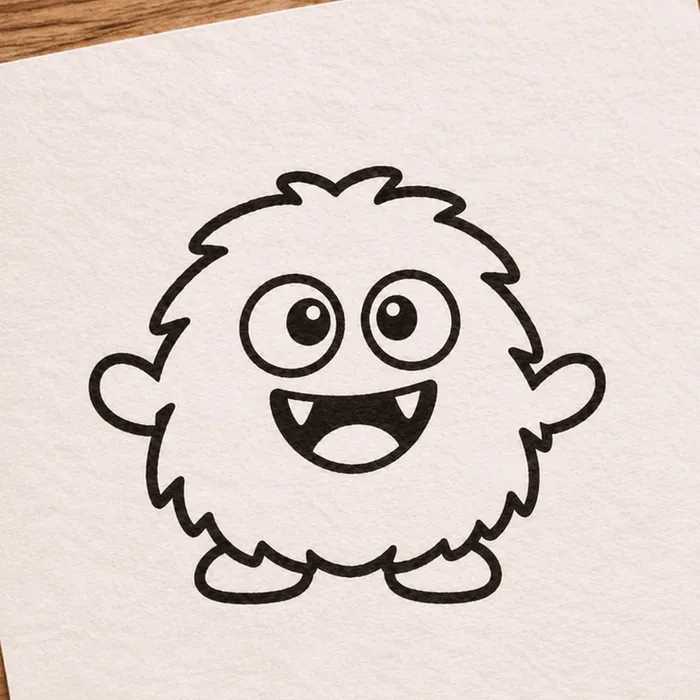
Schizzo di partenza (anch'esso generato con IA)

Risultato animato
Vedi il prompt
Create a GIF. Using the attached hand-drawn sketch as the character design, create a single animation sprite sheet for a seamless looping GIF. Keep the character's shape, proportions, and hand-drawn pen line quality, and keep the lined paper background. The sequence: the character blinks, looks left, looks right, does a small happy jump, lands, then returns to its starting pose. Exactly 6 sequential frames in a precise 3-column by 2-row grid, read left to right, then top to bottom. Every panel has identical dimensions. Fixed camera, same character, same background. Clear incremental motion; the sixth frame transitions smoothly back to the first. No added text, panel labels, borders, or gutters.

Vedi il prompt
Create a GIF. Create a single animation sprite sheet for a seamless looping walk cycle. A small pixel-art knight with a blue cape and a round shield walks to the right, seen from the side. Crisp 32-bit pixel art with a limited color palette and a plain light gray background. Exactly 8 sequential frames in a precise 4-column by 2-row grid, read left to right, then top to bottom. Every panel has identical dimensions. The character stays centered in each panel at the same scale, with feet on the same baseline. Clear leg, arm, and cape motion; the eighth frame transitions smoothly back to the first. No text, panel labels, borders, or gutters.
Un personaggio attraverso più modifiche
Tre modifiche nella stessa conversazione. Viso, capelli, occhiali e giacca restano riconoscibili, ma i piccoli dettagli possono cambiare: nella terza immagine, la cicatrice e la toppa con la volpe si trovano in punti diversi.
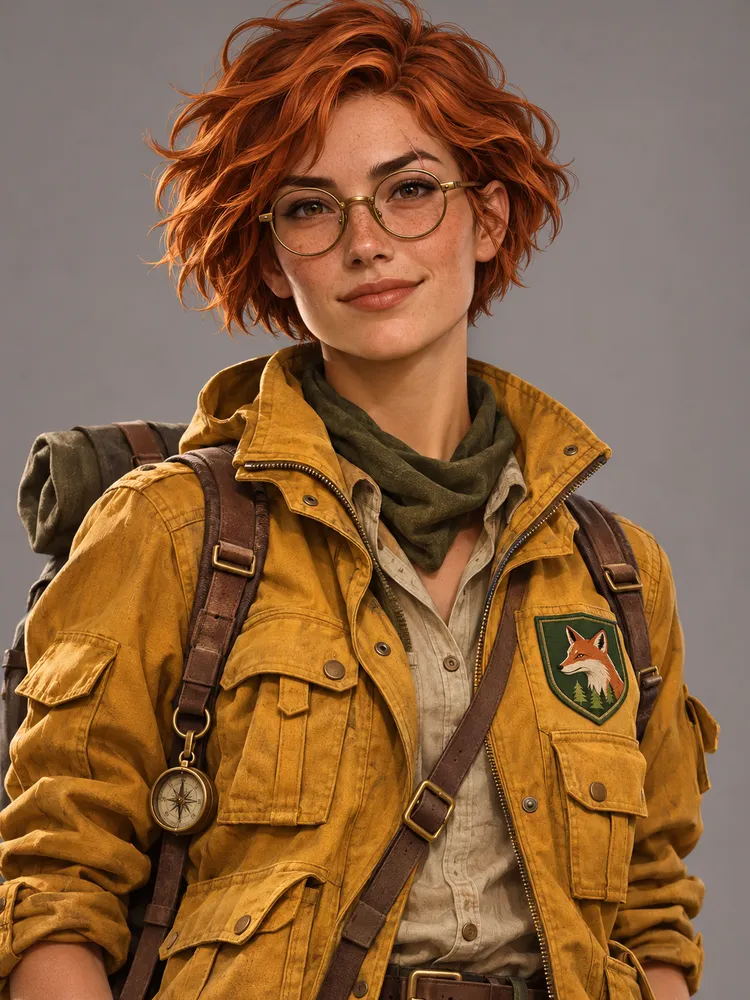
Vedi il prompt
A portrait of a young woman explorer with short copper hair, round brass glasses, a small scar on her left eyebrow, and a mustard-yellow utility jacket with a green fox patch on the chest. Semi-realistic digital illustration, neutral gray background, waist-up view.
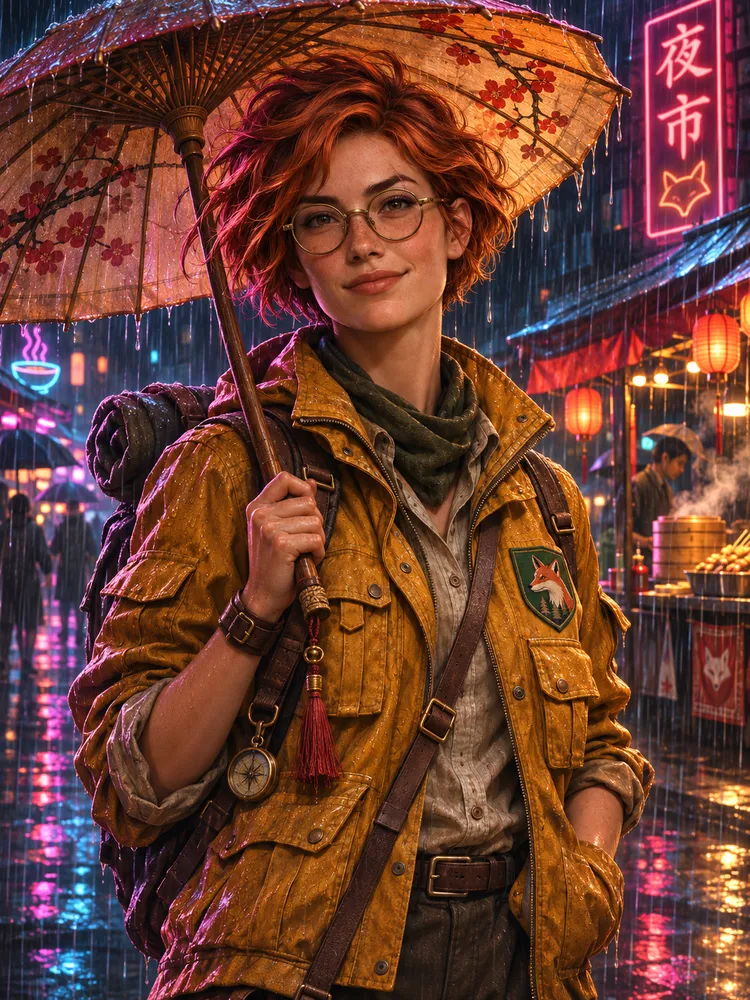
Vedi il prompt
Keep the same character exactly: same face, hair, glasses, scar, jacket, and fox patch. Place her in a rainy neon-lit night market, holding a paper umbrella. Change only the setting, pose, and lighting.
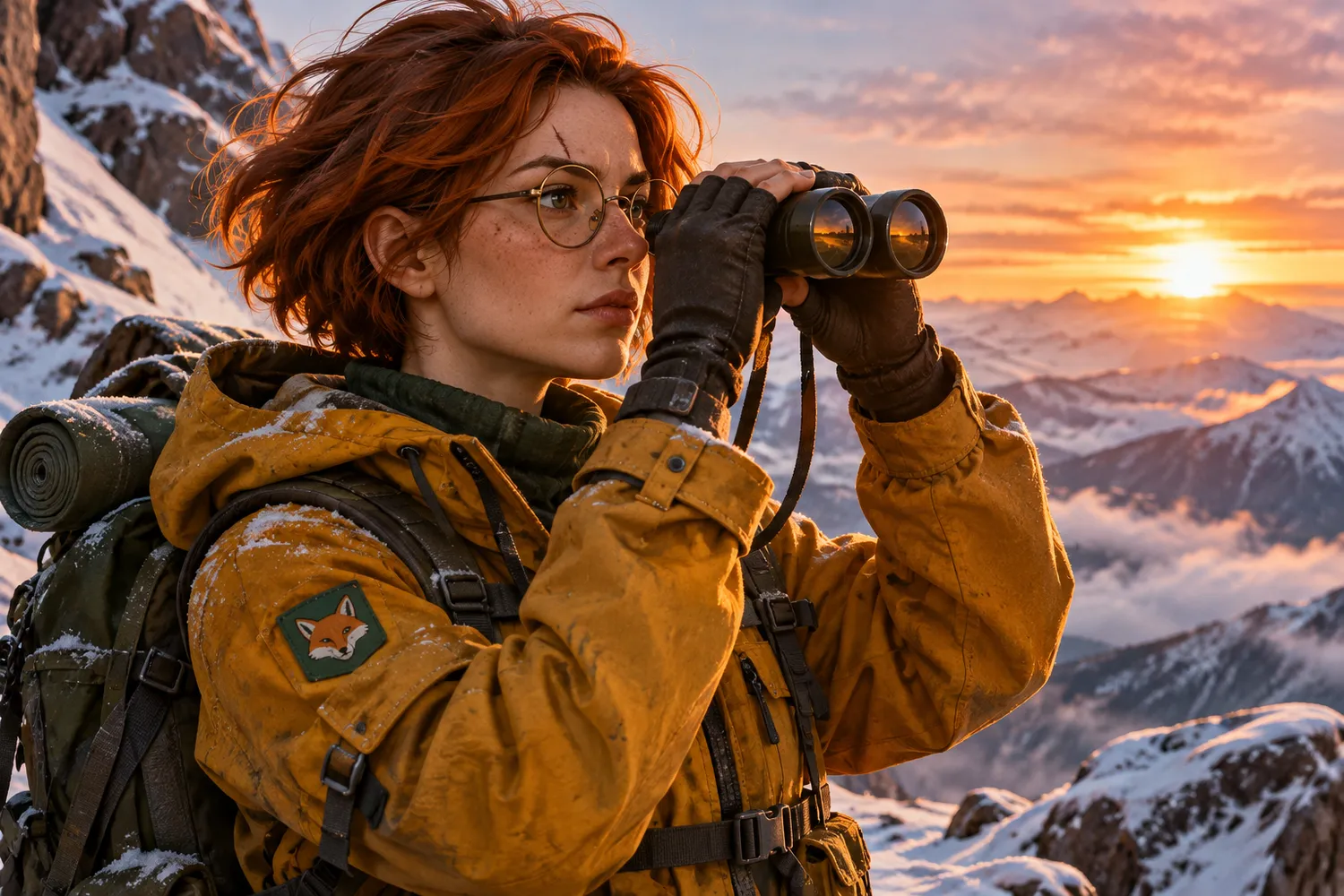
Vedi il prompt
Keep the same character exactly: same face, hair, glasses, scar, jacket, and fox patch. Place her on a snowy mountain ridge at sunrise, looking through binoculars. Change only the setting, pose, and lighting.
Le novità di GPT Image 2.6
OpenAI ha annunciato Images 2.6 il 4 novembre 2026 per ChatGPT, Codex e l'API. Ecco le modifiche principali.
Generazione più veloce del 50%
Secondo OpenAI, Images 2.6 genera immagini il 50% più velocemente di prima, accorciando ogni ciclo di iterazione.
Creazione di GIF
Dai movimento alle immagini animando una mascotte o un personaggio, oppure trasformando la foto di un prodotto in un loop.
Modifiche coerenti
Rifinisci le immagini mantenendo coerenti personaggi, prodotti e dettagli del brand.
Annotazione delle immagini nell'API
L'annotazione delle immagini, già disponibile in ChatGPT, permette di indicare con precisione dove intervenire.
Esportazione SVG
Le esportazioni SVG rendono i progetti pronti per siti web, app e stampa.
Controllo della complessità
Un nuovo parametro dell'API regola quanta pianificazione svolge il modello. I valori bassi sono adatti alle modifiche rapide.
GPT Image 2.6 Flare vs Sunburst
OpenAI offre due modelli GPT Image 2.6 nella sua API. Flare privilegia la velocità, Sunburst il dettaglio e la coerenza.
GPT Image 2.6 Flare
La scelta più veloce per iterazioni rapide e layout professionali.
- Può generare immagini in appena sei secondi con la qualità impostata su bassa
- Migliore qualità del layout per poster, immagini di prodotto e altri contenuti visivi professionali
GPT Image 2.6 Sunburst
La scelta di qualità superiore per i lavori che richiedono più dettaglio e precisione.
- Generazione di immagini di qualità superiore per lavori dettagliati
- Maggiore coerenza tra le modifiche con la qualità impostata su media o alta
Queste informazioni descrivono i modelli nell'API di OpenAI. Impostazioni e prezzi in crediti su Raphael AI saranno pubblicati quando 2.6 sarà disponibile qui.
Idee di prompt da provare
Tre punti di partenza per gli ambiti su cui si concentra Images 2.6: movimento, layout e modifiche coerenti.
Sprite sheet di una mascotte in loop
Create a single animation sprite sheet for a seamless loop. A friendly round robot mascot waves, tilts its head, smiles, and returns to its starting pose. Exactly 6 sequential frames in a precise 3-column by 2-row grid, read left to right and top to bottom. Every panel has identical dimensions. Fixed camera, same character, plain pastel background. Clear incremental motion; the sixth frame transitions smoothly back to the first. No captions, numbers, logos, borders, or gutters.
Poster incentrato sul layout
Design a vertical travel poster for a coastal city at golden hour. Use a clear hierarchy: the large headline "Sail Away" at the top, a sailboat as the central image, and the short line "Summer departures" at the bottom. Generous margins, balanced composition, refined modern typography, warm natural color palette.
Modifica coerente del prodotto (usa un'immagine di riferimento)
Using the reference image, keep the product's shape, label, colors, and proportions exactly the same. Place it on a light oak table beside a window with soft morning light. Change only the background and lighting.
I prompt sono in inglese e possono essere provati con GPT Image 2.5 nel generatore qui sopra. Il prompt per lo sprite sheet produce una singola immagine a griglia, non una GIF animata, perché questo sito non offre ancora l'esportazione GIF.
Domande frequenti su GPT Image 2.6
Continua a esplorare
GPT Image 2.6 e Images 2.6 sono prodotti di OpenAI. Raphael AI è un servizio indipendente, non affiliato né approvato da OpenAI. Le informazioni sulle funzioni provengono dall'annuncio di OpenAI del 4 novembre 2026.