
GPT Image 2.6: Features, Flare vs Sunburst, and What's Coming
OpenAI's Images 2.6 brings faster generation, GIFs and more precise edits. See what's new, and create with GPT Image 2.5 while 2.6 support is on the way.

GPT Image 2.6 is coming soon to Raphael AI
It isn't available on this site yet. The generator below currently runs GPT Image 2.5, so images you create here are not GPT Image 2.6 output.

Made with GPT Image 2.6
Animated loops and character edits created with Images 2.6. The originals were GIFs, shown here in a compressed format so the page loads faster.
Created with GPT Image 2.6 in ChatGPT, not with the generator on this page.
Tip: in ChatGPT, start the prompt with "Create a GIF". Without it, you get a still image.

View prompt
Create a GIF. Create a single animation sprite sheet for a seamless looping GIF. A cheerful round orange fox mascot wearing a small teal scarf stands facing the viewer. The sequence: looks up, notices the viewer, gives a big wave, hops once with joy, lands, then settles back into its starting pose. Soft 3D toy-like style, clean studio lighting, plain warm cream background. Exactly 6 sequential frames in a precise 3-column by 2-row grid, read left to right, then top to bottom. Every panel has identical dimensions. Fixed camera, same character, same proportions, same background. Clear incremental motion; the sixth frame transitions smoothly back to the first. No text, logos, panel labels, borders, or gutters.

View prompt
Create a GIF. Create a single animation sprite sheet for a seamless looping GIF. A premium unbranded matte-black insulated bottle stands on a wet dark stone surface. The sequence: a water droplet falls from above, hits the surface beside the bottle, ripples spread outward, small droplets rise and catch the light, then the surface calms again. The bottle stays perfectly still and identical in every frame. Luxury product photography, dramatic rim lighting, dark teal background. Exactly 6 sequential frames in a precise 3-column by 2-row grid, read left to right, then top to bottom. Every panel has identical dimensions. Fixed camera. Clear incremental motion; the sixth frame transitions smoothly back to the first. No text, logos, panel labels, borders, or gutters.

View prompt
Create a GIF. Create a single animation sprite sheet for a seamless looping GIF. A tiny sleepy penguin in an oversized knitted sweater sits at a small table. The sequence: dozes off with heavy eyelids, a steaming cup of coffee slides into view, one eye opens, it takes a sip, its eyes go wide with sparkles, then it slowly starts dozing again. Expressive cute 3D animation style, soft morning light, cozy pastel kitchen background. Exactly 6 sequential frames in a precise 3-column by 2-row grid, read left to right, then top to bottom. Every panel has identical dimensions. Fixed camera, same character, table, and background. Clear incremental facial motion; the sixth frame transitions smoothly back to the first. No text, logos, speech bubbles, panel labels, borders, or gutters.
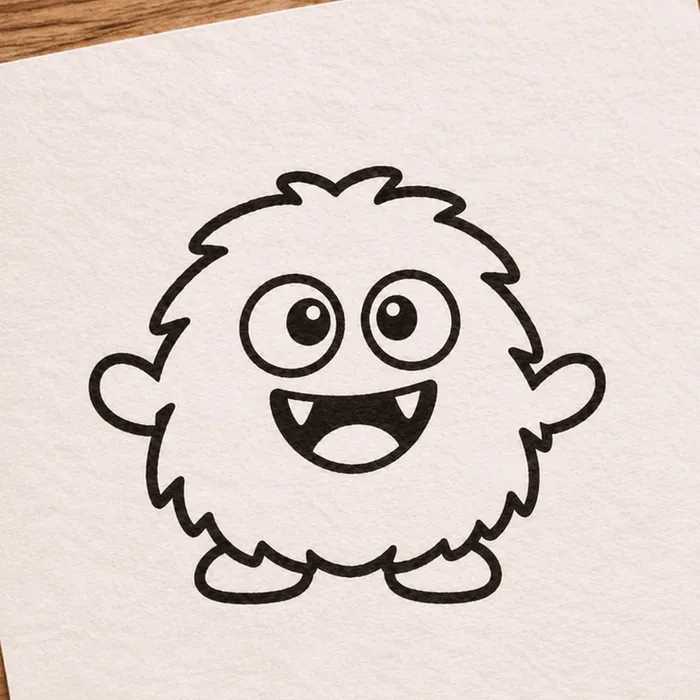
Input sketch (also AI-generated)

Animated result
View prompt
Create a GIF. Using the attached hand-drawn sketch as the character design, create a single animation sprite sheet for a seamless looping GIF. Keep the character's shape, proportions, and hand-drawn pen line quality, and keep the lined paper background. The sequence: the character blinks, looks left, looks right, does a small happy jump, lands, then returns to its starting pose. Exactly 6 sequential frames in a precise 3-column by 2-row grid, read left to right, then top to bottom. Every panel has identical dimensions. Fixed camera, same character, same background. Clear incremental motion; the sixth frame transitions smoothly back to the first. No added text, panel labels, borders, or gutters.

View prompt
Create a GIF. Create a single animation sprite sheet for a seamless looping walk cycle. A small pixel-art knight with a blue cape and a round shield walks to the right, seen from the side. Crisp 32-bit pixel art with a limited color palette and a plain light gray background. Exactly 8 sequential frames in a precise 4-column by 2-row grid, read left to right, then top to bottom. Every panel has identical dimensions. The character stays centered in each panel at the same scale, with feet on the same baseline. Clear leg, arm, and cape motion; the eighth frame transitions smoothly back to the first. No text, panel labels, borders, or gutters.
One character across edits
Three edits in one conversation. The face, hair, glasses and jacket stay recognizable, but small details can still shift: in the third image, the scar and fox patch sit in different places.
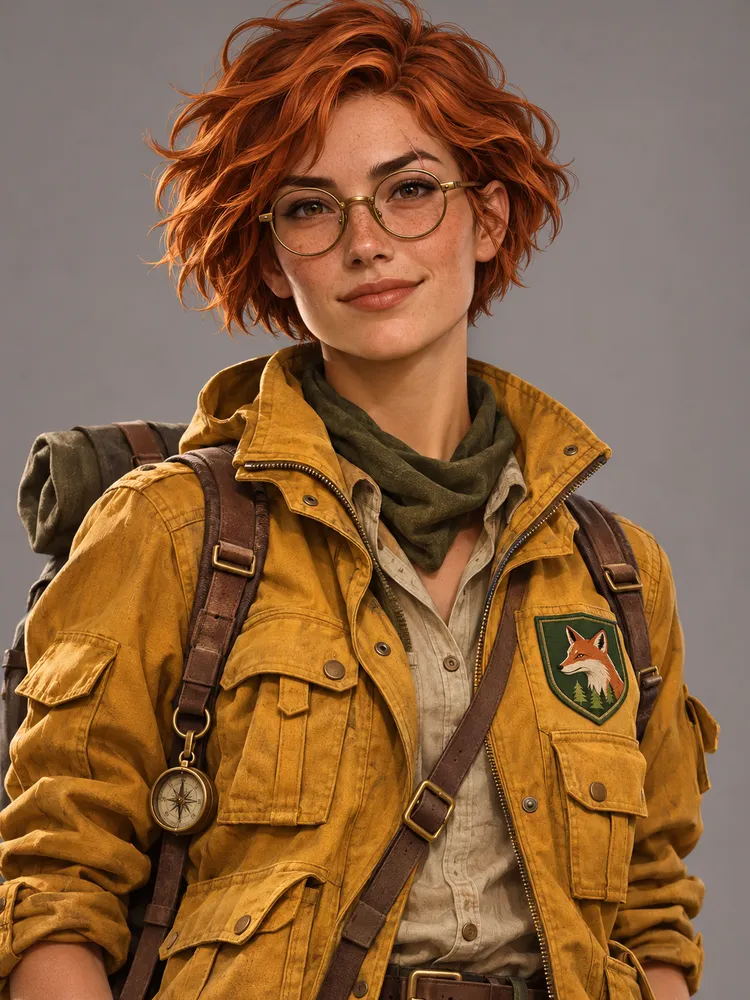
View prompt
A portrait of a young woman explorer with short copper hair, round brass glasses, a small scar on her left eyebrow, and a mustard-yellow utility jacket with a green fox patch on the chest. Semi-realistic digital illustration, neutral gray background, waist-up view.
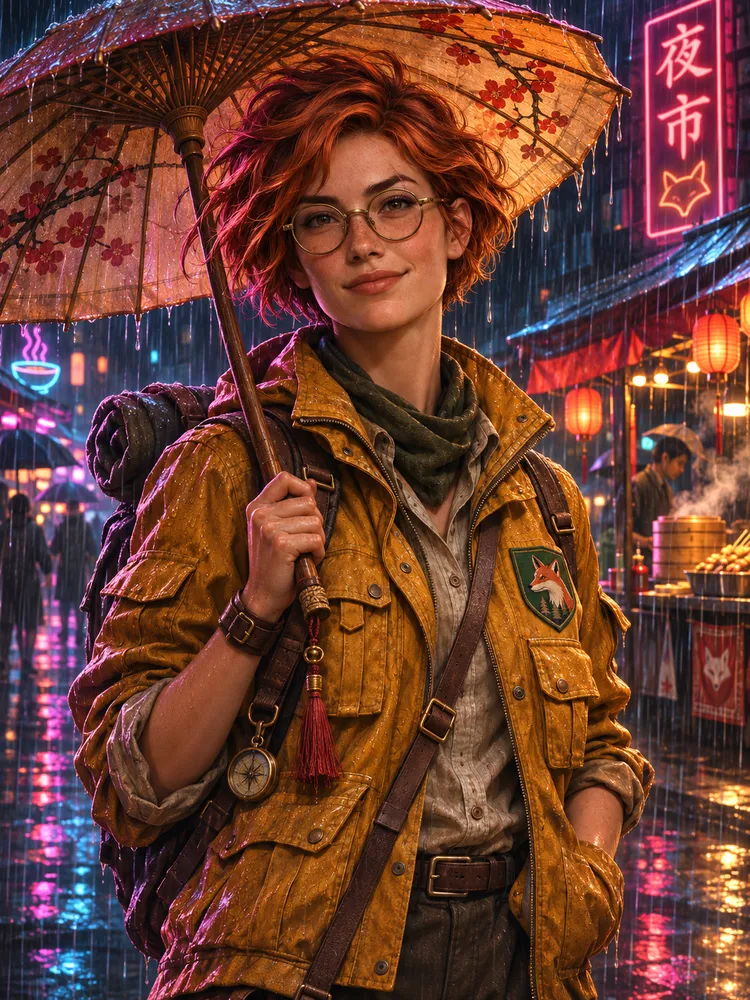
View prompt
Keep the same character exactly: same face, hair, glasses, scar, jacket, and fox patch. Place her in a rainy neon-lit night market, holding a paper umbrella. Change only the setting, pose, and lighting.
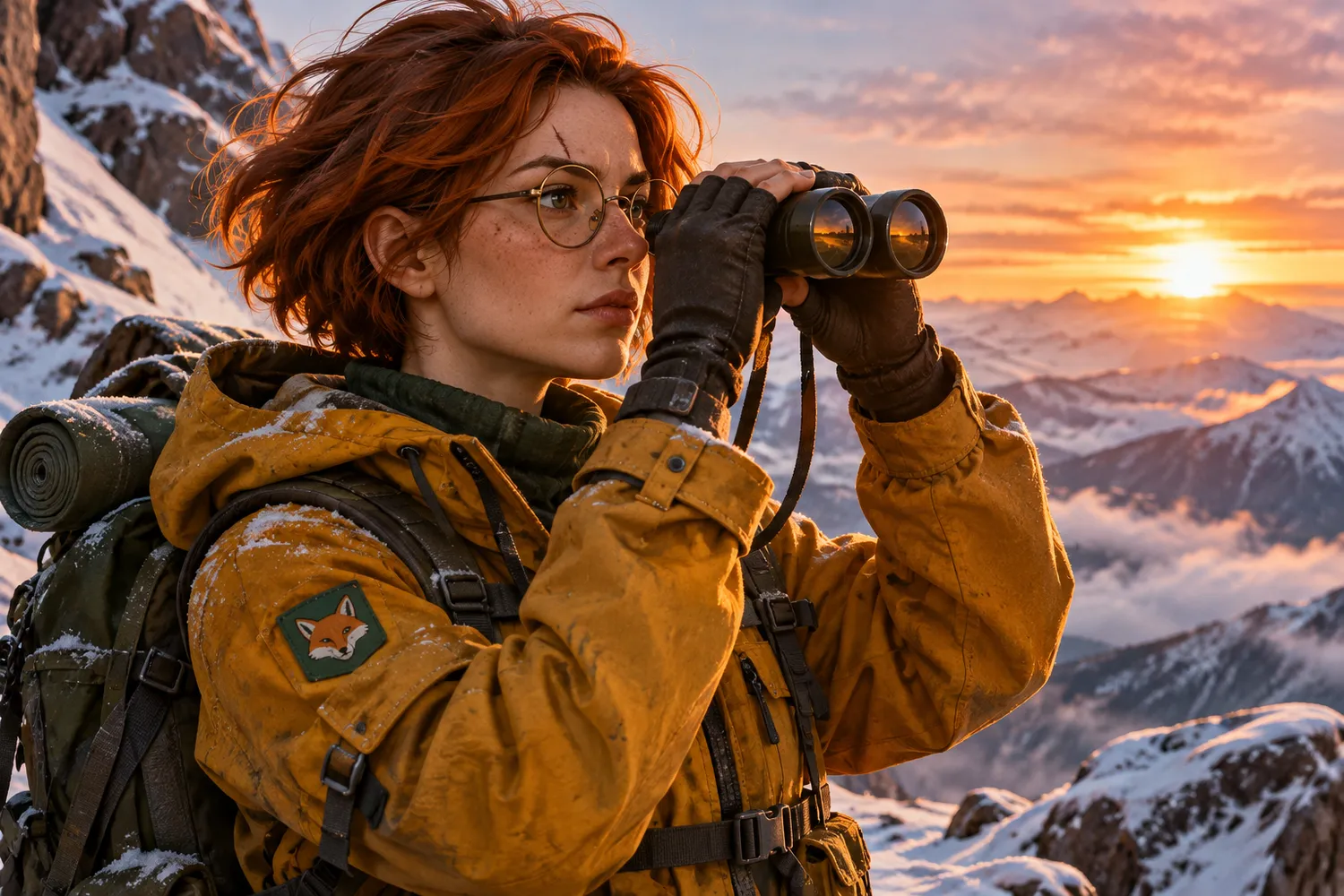
View prompt
Keep the same character exactly: same face, hair, glasses, scar, jacket, and fox patch. Place her on a snowy mountain ridge at sunrise, looking through binoculars. Change only the setting, pose, and lighting.
What's new in GPT Image 2.6
OpenAI announced Images 2.6 on November 4, 2026, for ChatGPT, Codex and the API. These are the main changes.
50% faster generation
OpenAI says Images 2.6 generates images 50% faster than before, which shortens each round of iteration.
GIF creation
Bring motion to images by animating a brand mascot or character, or by turning a product shot into a loop.
Consistent edits
Refine visuals while keeping characters, products and brand details consistent as you edit.
Image markup in the API
Image markup, already available in ChatGPT, lets teams pinpoint exactly where to make specific changes.
SVG export
SVG exports make designs ready to use across websites, apps and print.
Complexity control
A new API parameter adjusts how much planning the model does. Lower settings suit quick edits.
GPT Image 2.6 Flare vs Sunburst
OpenAI offers two GPT Image 2.6 models in its API. Flare favors speed, and Sunburst favors detail and consistency.
GPT Image 2.6 Flare
The faster choice for quick iteration and professional layouts.
- Can generate images in as little as six seconds with quality set to low
- Improved layout quality for posters, product imagery and other professional visuals
GPT Image 2.6 Sunburst
The higher-quality choice for work that needs more detail and precision.
- Higher-quality image generation for detailed work
- Greater image consistency across edits with quality set to medium or high
These details describe the models in the OpenAI API. Settings and credit pricing on Raphael AI will be published when 2.6 becomes available here.
Prompt ideas to try
Three starting points for the kinds of work Images 2.6 focuses on: motion, layout and consistent edits.
Looping mascot sprite sheet
Create a single animation sprite sheet for a seamless loop. A friendly round robot mascot waves, tilts its head, smiles, and returns to its starting pose. Exactly 6 sequential frames in a precise 3-column by 2-row grid, read left to right and top to bottom. Every panel has identical dimensions. Fixed camera, same character, plain pastel background. Clear incremental motion; the sixth frame transitions smoothly back to the first. No captions, numbers, logos, borders, or gutters.
Layout-focused poster
Design a vertical travel poster for a coastal city at golden hour. Use a clear hierarchy: the large headline "Sail Away" at the top, a sailboat as the central image, and the short line "Summer departures" at the bottom. Generous margins, balanced composition, refined modern typography, warm natural color palette.
Consistent product edit (uses a reference image)
Using the reference image, keep the product's shape, label, colors, and proportions exactly the same. Place it on a light oak table beside a window with soft morning light. Change only the background and lighting.
Prompts are in English and can be tried with GPT Image 2.5 in the generator above. The sprite-sheet prompt produces one grid image, not an animated GIF, because this site doesn't offer GIF export yet.
GPT Image 2.6 FAQ
Keep exploring
GPT Image 2.6 and Images 2.6 are OpenAI products. Raphael AI is an independent service and is not affiliated with or endorsed by OpenAI. Feature details are based on OpenAI's announcement of November 4, 2026.