
GPT Image 2.6: Funktionen, Flare vs. Sunburst und was noch kommt
Images 2.6 von OpenAI bringt schnellere Generierung, GIFs und präzisere Bearbeitung. Sieh dir die Neuerungen an und erstelle mit GPT Image 2.5, bis 2.6 hier verfügbar ist.

GPT Image 2.6 kommt bald zu Raphael AI
Das Modell ist auf dieser Website noch nicht verfügbar. Der Generator unten nutzt derzeit GPT Image 2.5, daher stammen hier erstellte Bilder nicht von GPT Image 2.6.

Mit GPT Image 2.6 erstellt
Animierte Loops und Figurenbearbeitungen, erstellt mit Images 2.6. Die Originale waren GIFs und werden hier in einem komprimierten Format gezeigt, damit die Seite schneller lädt.
Erstellt mit GPT Image 2.6 in ChatGPT, nicht mit dem Generator auf dieser Seite.
Tipp: Beginne den Prompt in ChatGPT mit "Create a GIF". Sonst erhältst du ein Standbild.

Prompt ansehen
Create a GIF. Create a single animation sprite sheet for a seamless looping GIF. A cheerful round orange fox mascot wearing a small teal scarf stands facing the viewer. The sequence: looks up, notices the viewer, gives a big wave, hops once with joy, lands, then settles back into its starting pose. Soft 3D toy-like style, clean studio lighting, plain warm cream background. Exactly 6 sequential frames in a precise 3-column by 2-row grid, read left to right, then top to bottom. Every panel has identical dimensions. Fixed camera, same character, same proportions, same background. Clear incremental motion; the sixth frame transitions smoothly back to the first. No text, logos, panel labels, borders, or gutters.

Prompt ansehen
Create a GIF. Create a single animation sprite sheet for a seamless looping GIF. A premium unbranded matte-black insulated bottle stands on a wet dark stone surface. The sequence: a water droplet falls from above, hits the surface beside the bottle, ripples spread outward, small droplets rise and catch the light, then the surface calms again. The bottle stays perfectly still and identical in every frame. Luxury product photography, dramatic rim lighting, dark teal background. Exactly 6 sequential frames in a precise 3-column by 2-row grid, read left to right, then top to bottom. Every panel has identical dimensions. Fixed camera. Clear incremental motion; the sixth frame transitions smoothly back to the first. No text, logos, panel labels, borders, or gutters.

Prompt ansehen
Create a GIF. Create a single animation sprite sheet for a seamless looping GIF. A tiny sleepy penguin in an oversized knitted sweater sits at a small table. The sequence: dozes off with heavy eyelids, a steaming cup of coffee slides into view, one eye opens, it takes a sip, its eyes go wide with sparkles, then it slowly starts dozing again. Expressive cute 3D animation style, soft morning light, cozy pastel kitchen background. Exactly 6 sequential frames in a precise 3-column by 2-row grid, read left to right, then top to bottom. Every panel has identical dimensions. Fixed camera, same character, table, and background. Clear incremental facial motion; the sixth frame transitions smoothly back to the first. No text, logos, speech bubbles, panel labels, borders, or gutters.
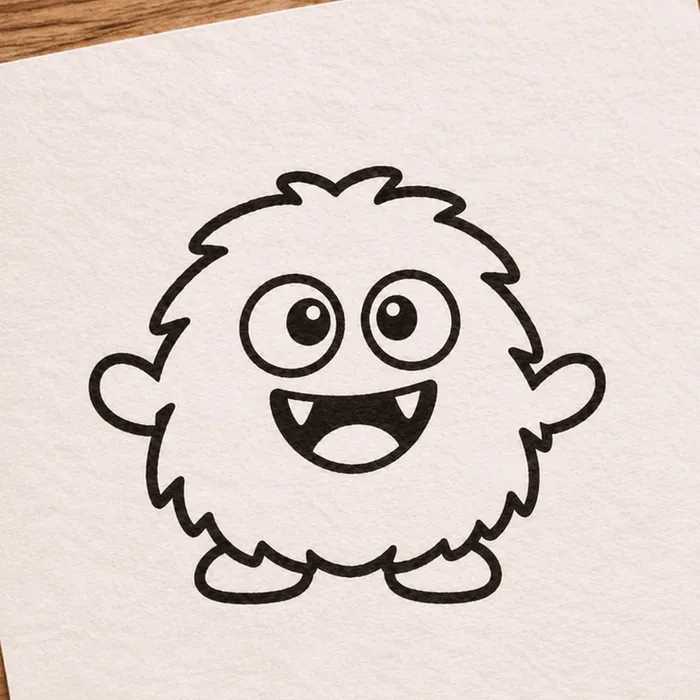
Ausgangsskizze (ebenfalls KI-generiert)

Animiertes Ergebnis
Prompt ansehen
Create a GIF. Using the attached hand-drawn sketch as the character design, create a single animation sprite sheet for a seamless looping GIF. Keep the character's shape, proportions, and hand-drawn pen line quality, and keep the lined paper background. The sequence: the character blinks, looks left, looks right, does a small happy jump, lands, then returns to its starting pose. Exactly 6 sequential frames in a precise 3-column by 2-row grid, read left to right, then top to bottom. Every panel has identical dimensions. Fixed camera, same character, same background. Clear incremental motion; the sixth frame transitions smoothly back to the first. No added text, panel labels, borders, or gutters.

Prompt ansehen
Create a GIF. Create a single animation sprite sheet for a seamless looping walk cycle. A small pixel-art knight with a blue cape and a round shield walks to the right, seen from the side. Crisp 32-bit pixel art with a limited color palette and a plain light gray background. Exactly 8 sequential frames in a precise 4-column by 2-row grid, read left to right, then top to bottom. Every panel has identical dimensions. The character stays centered in each panel at the same scale, with feet on the same baseline. Clear leg, arm, and cape motion; the eighth frame transitions smoothly back to the first. No text, panel labels, borders, or gutters.
Eine Figur über mehrere Bearbeitungen
Drei Bearbeitungen in einer Unterhaltung. Gesicht, Haare, Brille und Jacke bleiben erkennbar, kleine Details können sich aber ändern: Im dritten Bild sitzen Narbe und Fuchsabzeichen an anderen Stellen.
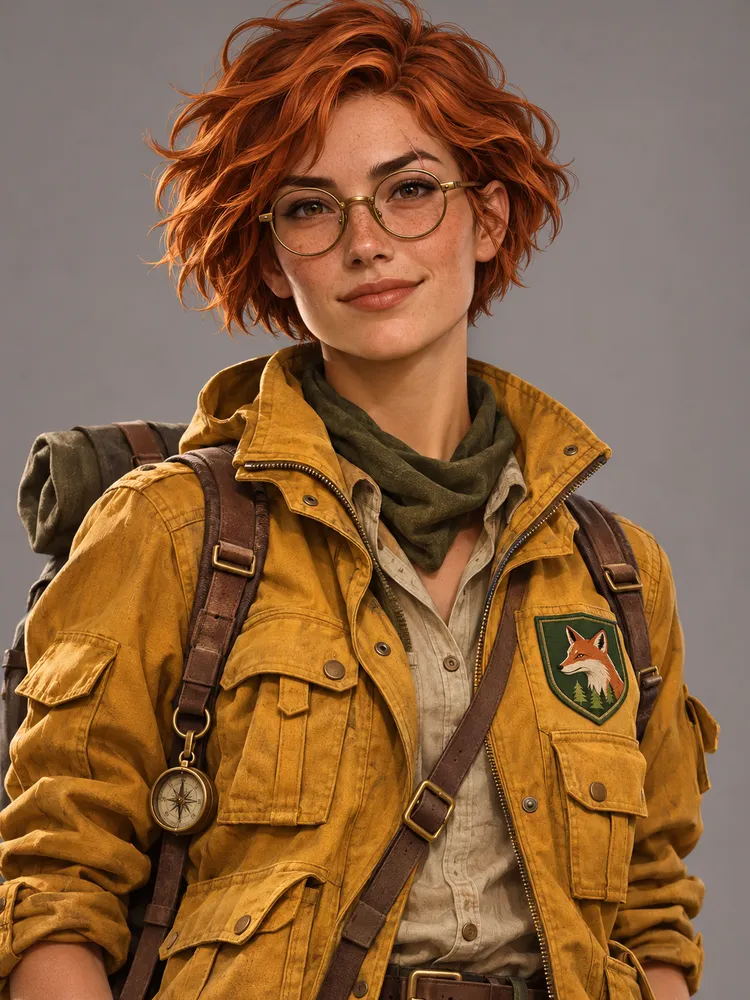
Prompt ansehen
A portrait of a young woman explorer with short copper hair, round brass glasses, a small scar on her left eyebrow, and a mustard-yellow utility jacket with a green fox patch on the chest. Semi-realistic digital illustration, neutral gray background, waist-up view.
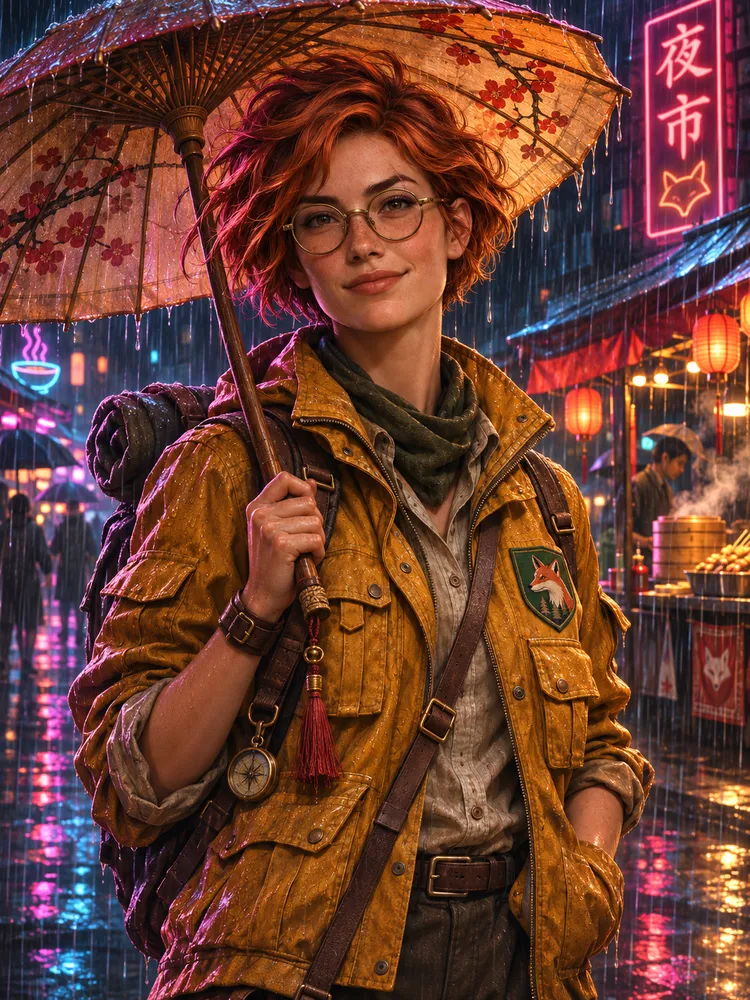
Prompt ansehen
Keep the same character exactly: same face, hair, glasses, scar, jacket, and fox patch. Place her in a rainy neon-lit night market, holding a paper umbrella. Change only the setting, pose, and lighting.
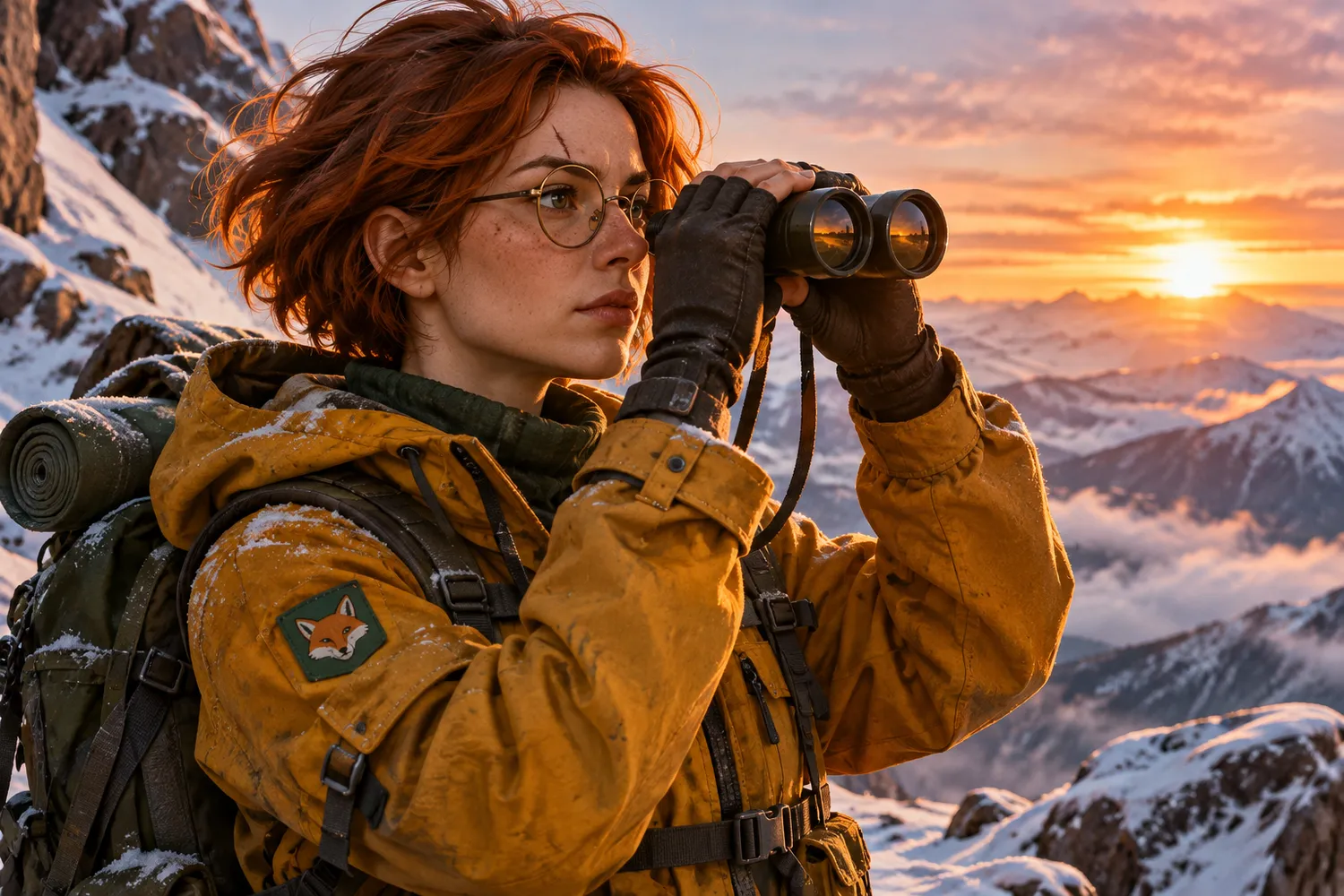
Prompt ansehen
Keep the same character exactly: same face, hair, glasses, scar, jacket, and fox patch. Place her on a snowy mountain ridge at sunrise, looking through binoculars. Change only the setting, pose, and lighting.
Das ist neu in GPT Image 2.6
OpenAI hat Images 2.6 am 4. November 2026 für ChatGPT, Codex und die API angekündigt. Das sind die wichtigsten Änderungen.
50 % schnellere Generierung
Laut OpenAI erzeugt Images 2.6 Bilder 50 % schneller als zuvor, was jede Iterationsrunde verkürzt.
GIF-Erstellung
Bringe Bewegung in Bilder, indem du ein Markenmaskottchen oder eine Figur animierst oder ein Produktfoto in einen Loop verwandelst.
Konsistente Bearbeitung
Verfeinere Bilder und halte dabei Figuren, Produkte und Markendetails konsistent.
Bildmarkierung in der API
Die aus ChatGPT bekannte Bildmarkierung zeigt genau, wo bestimmte Änderungen erfolgen sollen.
SVG-Export
SVG-Exporte machen Designs bereit für Websites, Apps und Druck.
Komplexitätssteuerung
Ein neuer API-Parameter legt fest, wie viel Planung das Modell betreibt. Niedrige Werte eignen sich für schnelle Änderungen.
GPT Image 2.6 Flare vs. Sunburst
OpenAI bietet in seiner API zwei GPT-Image-2.6-Modelle an. Flare setzt auf Geschwindigkeit, Sunburst auf Details und Konsistenz.
GPT Image 2.6 Flare
Die schnellere Wahl für rasche Iterationen und professionelle Layouts.
- Kann bei niedriger Qualitätseinstellung Bilder in nur sechs Sekunden erzeugen
- Bessere Layoutqualität bei Postern, Produktbildern und anderen professionellen Visuals
GPT Image 2.6 Sunburst
Die hochwertigere Wahl für Arbeiten, die mehr Detail und Präzision erfordern.
- Bildgenerierung in höherer Qualität für detailreiche Arbeiten
- Mehr Konsistenz über Bearbeitungen hinweg bei mittlerer oder hoher Qualitätseinstellung
Diese Angaben beziehen sich auf die Modelle in der OpenAI API. Einstellungen und Credit-Preise auf Raphael AI werden veröffentlicht, sobald 2.6 hier verfügbar ist.
Prompt-Ideen zum Ausprobieren
Drei Ausgangspunkte für die Schwerpunkte von Images 2.6: Bewegung, Layout und konsistente Bearbeitung.
Sprite Sheet mit Maskottchen-Loop
Create a single animation sprite sheet for a seamless loop. A friendly round robot mascot waves, tilts its head, smiles, and returns to its starting pose. Exactly 6 sequential frames in a precise 3-column by 2-row grid, read left to right and top to bottom. Every panel has identical dimensions. Fixed camera, same character, plain pastel background. Clear incremental motion; the sixth frame transitions smoothly back to the first. No captions, numbers, logos, borders, or gutters.
Layoutorientiertes Poster
Design a vertical travel poster for a coastal city at golden hour. Use a clear hierarchy: the large headline "Sail Away" at the top, a sailboat as the central image, and the short line "Summer departures" at the bottom. Generous margins, balanced composition, refined modern typography, warm natural color palette.
Konsistente Produktbearbeitung (mit Referenzbild)
Using the reference image, keep the product's shape, label, colors, and proportions exactly the same. Place it on a light oak table beside a window with soft morning light. Change only the background and lighting.
Die Prompts sind auf Englisch und lassen sich im Generator oben mit GPT Image 2.5 testen. Der Sprite-Sheet-Prompt erzeugt ein einzelnes Rasterbild und kein animiertes GIF, da diese Website noch keinen GIF-Export bietet.
Häufige Fragen zu GPT Image 2.6
Weiter entdecken
GPT Image 2.6 und Images 2.6 sind Produkte von OpenAI. Raphael AI ist ein unabhängiger Dienst und weder mit OpenAI verbunden noch von OpenAI unterstützt. Die Funktionsangaben stammen aus der Ankündigung von OpenAI vom 4. November 2026.
Probieren Sie jetzt Raphael AI aus
Erstellen Sie Bilder und Videos mit Raphael AI.